
A/B testing.
Always learning.
Meet Reinforcement Learning for Drupal. Test your content, learn from real visitor feedback, and give stronger variations more chances to perform.
- Open source
- Native Drupal integrations
- Feedback stored in your database
Already at work.
Across your Drupal site.
One learning engine, connected to the places where your content meets your visitors. These integrations exist today.
Pages built in DXPR Builder
Put alternative content into DXPR Builder’s variant slots. Visitor interactions feed the experiment, while the integration chooses which variation to show—even on pages served from a full-page cache.
Existing DXPR Builder integration
Page titles that earn attention
Give a page more than one title to work with. Test alternatives on content pages, Views pages and controller-generated pages through the bundled page-title module.
Bundled submodule · rl_page_title
Content ordering in Views
Let engagement help decide what appears first. The RL sorting module adds a Views sort plugin, so your existing content listings can learn which items get a response.
Companion module · rl_sorting
Menu labels that lead somewhere
Does “Resources” or “Learn” help people find the next step? Test alternative labels for menu links through the bundled menu-link module, using clicks as feedback.
Bundled submodule · rl_menu_link
Every interaction
adds evidence.
A test doesn’t have to be a calendar reminder to pick a winner. RL keeps updating its decisions as feedback comes in.
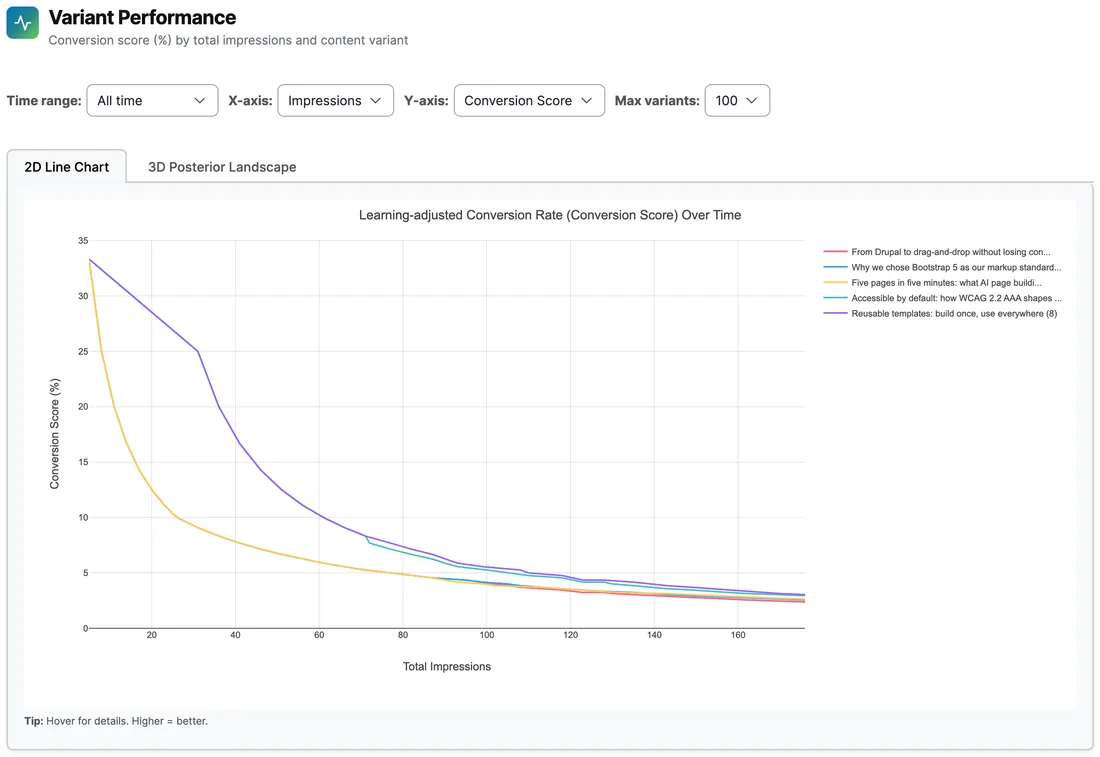
Learning curves show each headline variant's conversion score settling as impressions accumulate. Slice the same experiment by impressions, day, week or month.
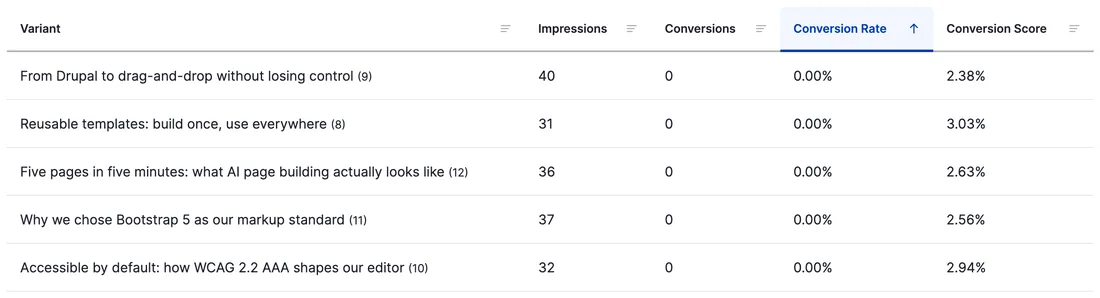
Per-variant results pair raw impressions with a learning-adjusted conversion score that stays meaningful before anything converts. Shown sample is early-stage: all variants sit at zero conversions to date.
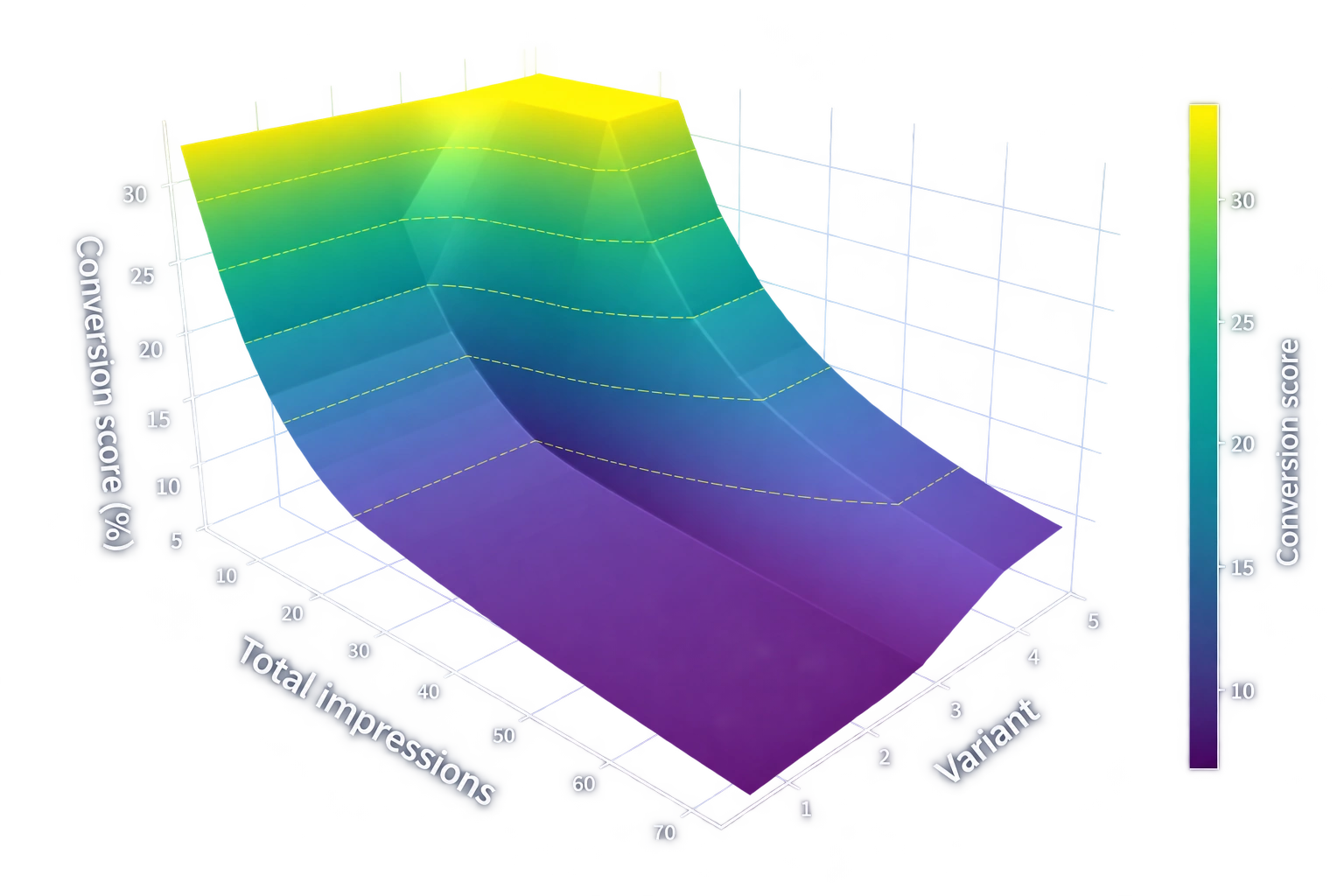
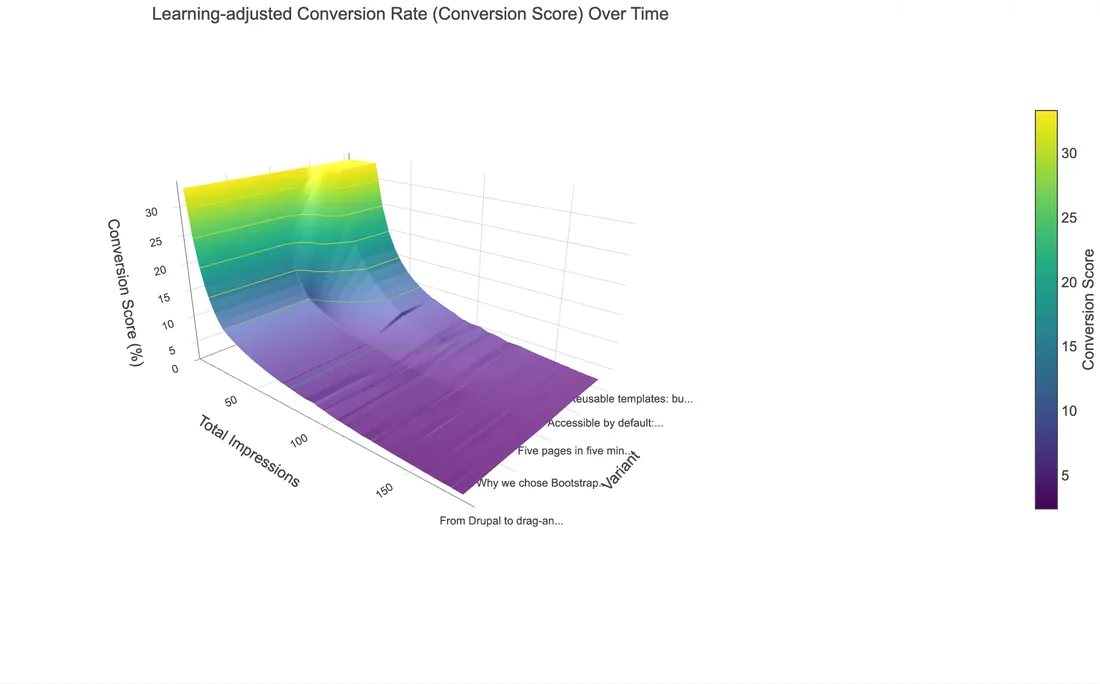
The posterior landscape shows the learning-adjusted score per variant with its confidence. Taller, brighter regions mark stronger evidence, not a guaranteed uplift.
Start with alternatives
Choose the content you want to test and define the interaction that counts as a success.
Learn from what people do
Impressions record exposure. Clicks or other configured conversions provide rewards. Thompson Sampling balances exploring alternatives with showing promising ones.
Review. Refine. Keep learning.
Inspect traffic, performance and confidence in Drupal’s reports. Add fresh alternatives as your content evolves; results remain evidence to assess, not a guaranteed uplift.
Your experiments.
Your Drupal infrastructure.
Keep experimentation close to the content, code and people who run your website.
Aggregate feedback
RL records anonymous interaction counts in your Drupal database. Its tracking does not need visitor profiles, user IDs or tracking cookies.
Fit your delivery stack
Select variations server-side or use the JavaScript API for cached pages. Your integration controls how decisions fit your rendering and caching strategy.
Extend what is there
Use Drupal services, the JavaScript API and HTTP endpoints to connect your own components. The same learning engine can serve more than one module.
Start where
your content lives.
Add RL to an existing Drupal site, then enable the integrations that suit your content. Building something new? DXPR CMS includes RL and Views content sorting.
Install the learning engine
composer require drupal/rl
drush en rl
Follow the installation documentation to configure the chart library and endpoints, then connect your first experiment.
Working with an AI agent? Install the Reinforcement Learning agent skill to help manage and review your experiments.