
DXPR Builder vs Drupal Paragraphs.
Give campaign authors creative room while keeping structured data where it belongs. Compare DXPR’s visual editing with the content model your team builds in Paragraphs.
Match the content model to the job.
A reusable product specification and a campaign landing page have different needs. Decide which information needs a schema and which layouts authors should shape themselves.
When DXPR fits
Choose DXPR for visually composed campaign content. Authors work with ready-to-use elements and save the page’s DXPR Builder content in a Drupal text field.
When Paragraphs fits
Consider Paragraphs when each component needs defined fields and structured data. Site builders choose the Paragraph types and fields available to authors.
What changes for your team?
Scroll horizontally to compare both tools. Keyboard users can focus the table and use the arrow keys.
| Your decision | DXPR Builder | Drupal Paragraphs |
|---|---|---|
| Content model | Page layouts and content stored as HTML in a Drupal text field. | Fieldable Paragraph entities referenced from the parent content. |
| Component setup | Ready-to-use content and layout elements, plus Drupal blocks and Views. | Your team defines Paragraph types, fields and their display. |
| Editing experience | Inline visual editing and drag-and-drop composition. | Depends on the widget and extensions configured on the site. |
| Visual layouts | Built-in responsive rows, columns and reusable sections. | Layout Paragraphs adds drag-and-drop layouts to Paragraph reference fields. |
| AI-assisted creation | Generate and refine editable DXPR Builder content within Drupal. | Assess the AI integration against your component schema and editorial setup. |
| Delivery effort | Configure DXPR Builder permissions, content fields and reusable templates. | Design the types and displays; choose the authoring extensions you need. |
Reviewed 24 September 2026 against Paragraphs project · Layout Paragraphs. Extensions and site configuration can change the experience. See current DXPR plans for pricing and allowances.
Give the next campaign a head start.
Your marketing team should be able to reuse a successful page without commissioning a new component for every variation. DXPR Builder templates let authors start from a shared page or section and adapt the content visually.
Keep structured information in Drupal fields where it needs to be queried or reused as data. Use DXPR Builder for the campaign composition around it, including existing blocks and Views.
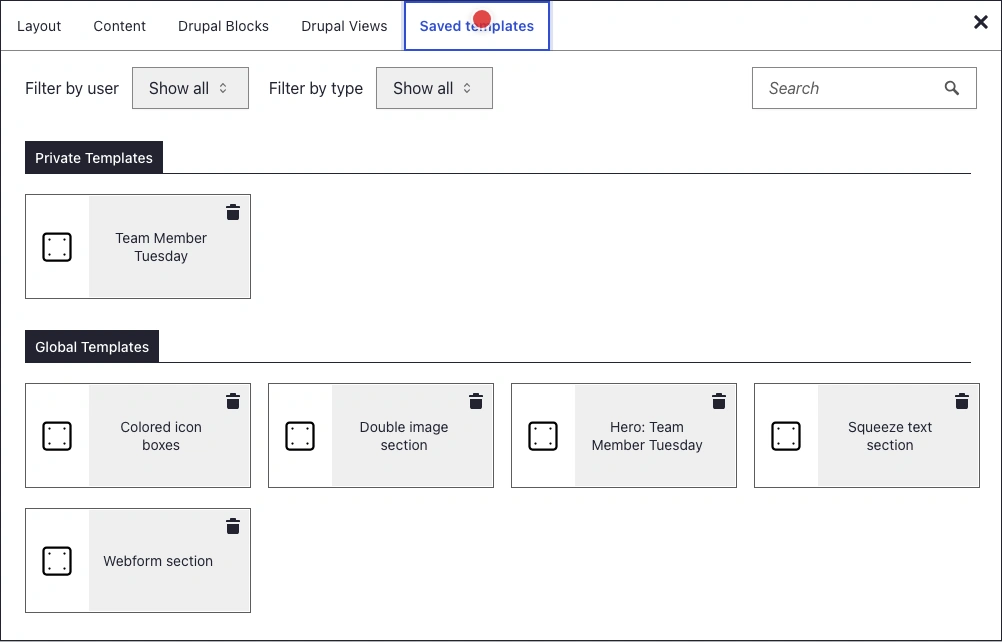
Actual DXPR Builder interface: reusable page and section templates.
Compare them on a real piece of work.
Bring an author, a platform owner and one page you actually need to publish.
Separate data from presentation
List the information that needs field-level querying or reuse, and the parts that are campaign-specific.
Test an unplanned layout
Give an author a new campaign requirement. See whether it fits the available components or needs development.
Review the full lifecycle
Check revisions, translated content and the work required to maintain the chosen setup.
Before you decide.
Still weighing your options?
Explore another comparison, or see how DXPR can modernize your existing Drupal platform.
Let your next page
make the case.
Try the editing experience yourself, or bring your current Drupal setup to a conversation with our team.