
🚀 DXPR Theme 8: AI Integration, Improved Live Theme Settings, AAA Accessibility

In Chinese tradition, the number eight holds special significance as a symbol of prosperity and good fortune, its pronunciation echoing the word for wealth. DXPR Theme 8 draws design inspiration from Xiaomi's HyperOS, the software powering their new, record-breaking SU7 electric car. We think it's interesting that after decades of lagging and following, especially in UX design, a Chinese car manufacturer now has the best automotive UI!
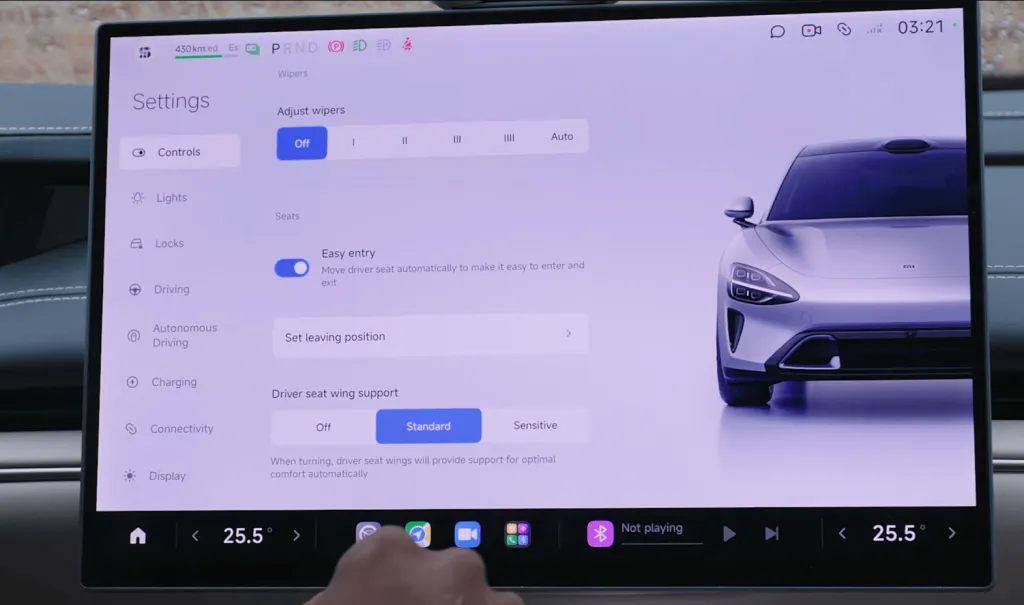
When drivers navigate at highway speeds, every interface element must communicate instantly and unambiguously. This demanding context, where clarity can mean the difference between a safe journey and a dangerous distraction, sets the highest possible bar for user interface design.
By learning from automotive software where split-second comprehension is essential, DXPR Theme 8 brings that same precision and purposeful simplicity to your Drupal site building experience.
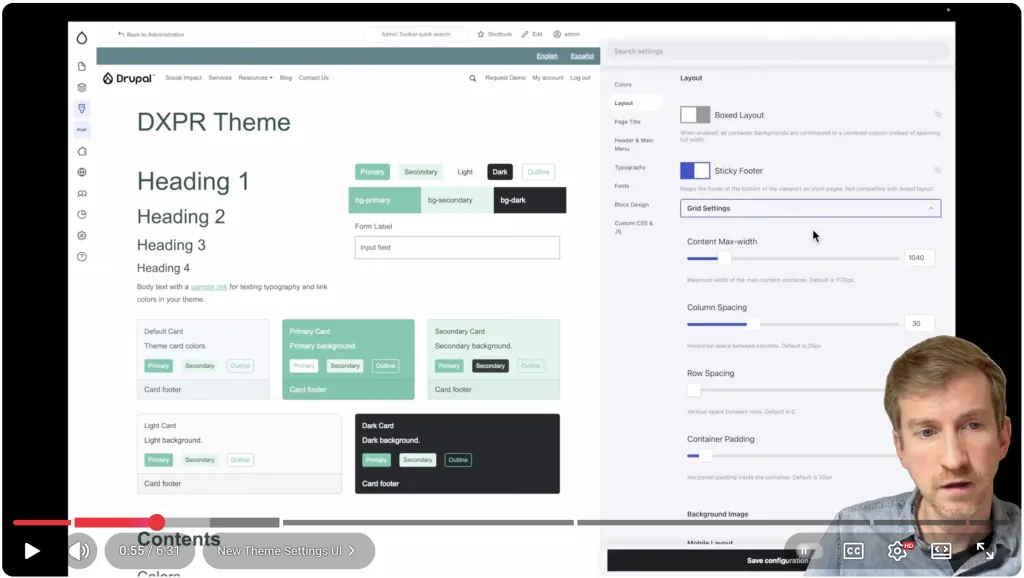
Watch review of DXPR Theme 8 features on YouTube
Enhanced Theme Settings UI
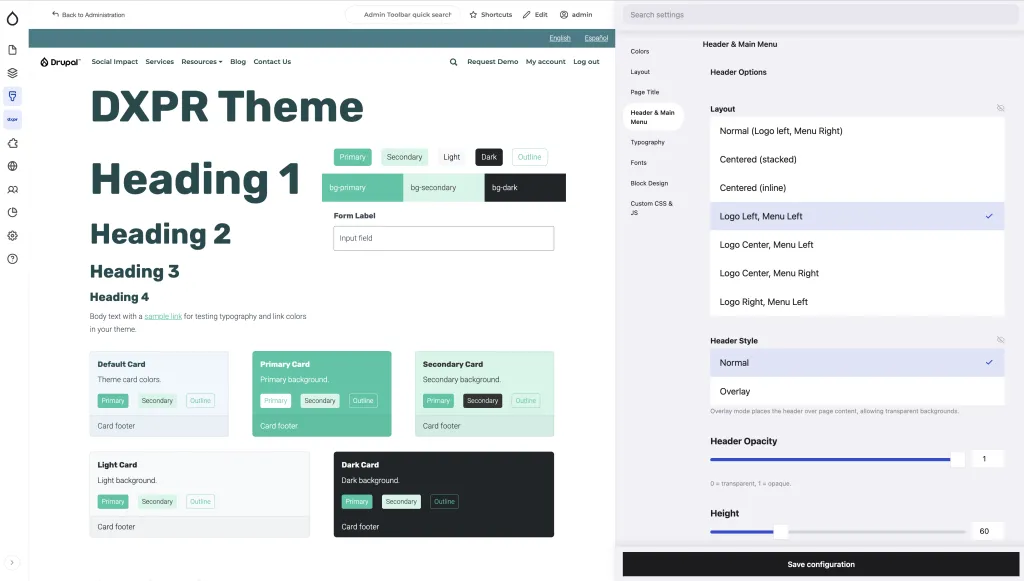
The DXPR Theme settings form, with over 200 options, is one of the most complex forms in your Drupal site. We aim to make this experience as easy and enjoyable as possible.
Our enhanced interface introduces a fixed sidebar that stays visible as you scroll, making navigation effortless across all settings categories. A new search function lets you find any setting instantly, no more hunting through tabs. A new live style-guide shows your changes in real time before you save.
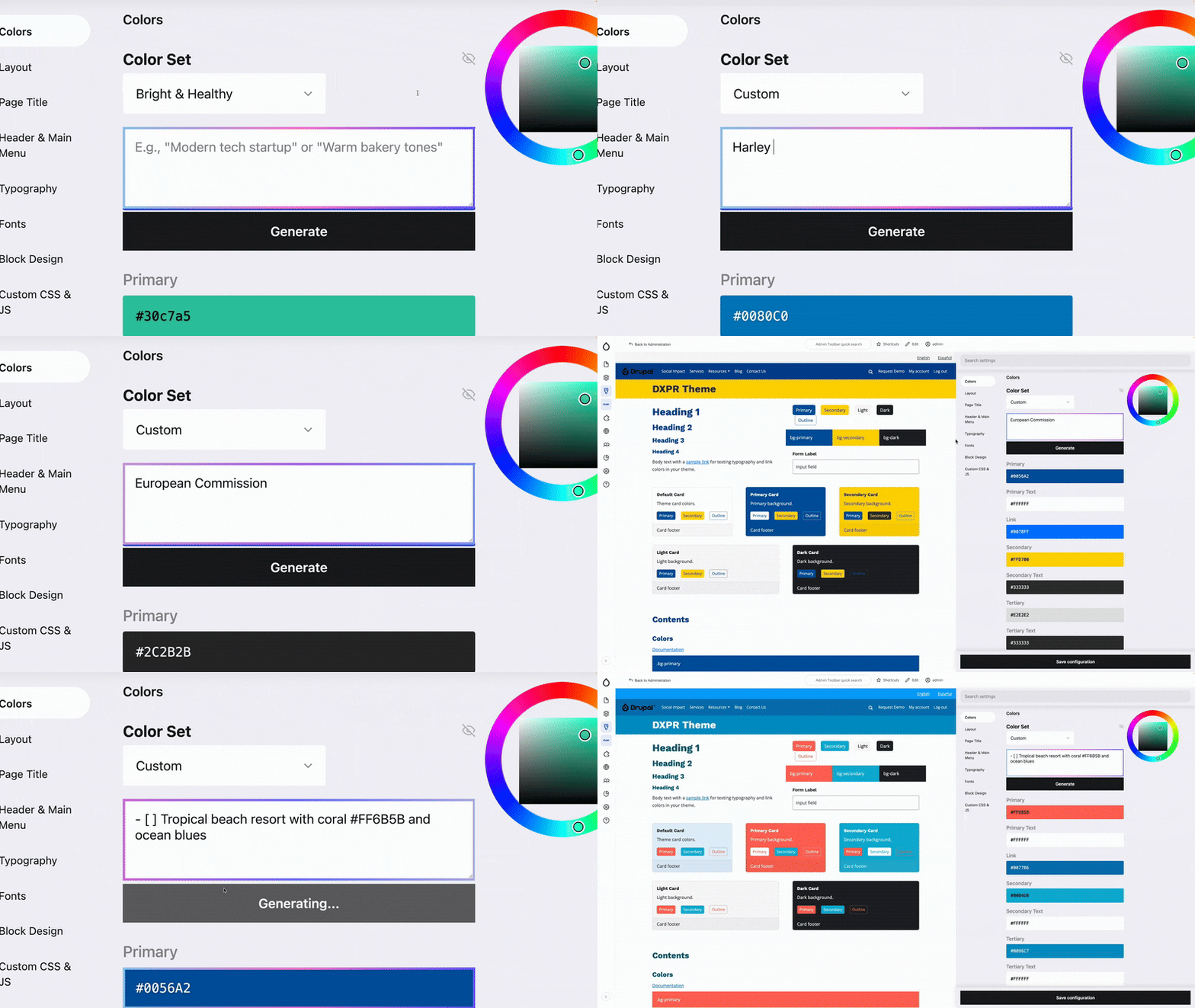
AI-Powered Color Palette Generator
Creating harmonious color schemes no longer requires design expertise. Simply describe your vision in natural language, such as "warm and welcoming tones for a family restaurant" or "professional blues with energetic accents for a tech startup," and our AI generates a complete, balanced palette tailored to your description. The generator considers contrast ratios, color harmony principles, and accessibility standards to deliver schemes that look polished and work beautifully across your entire site.
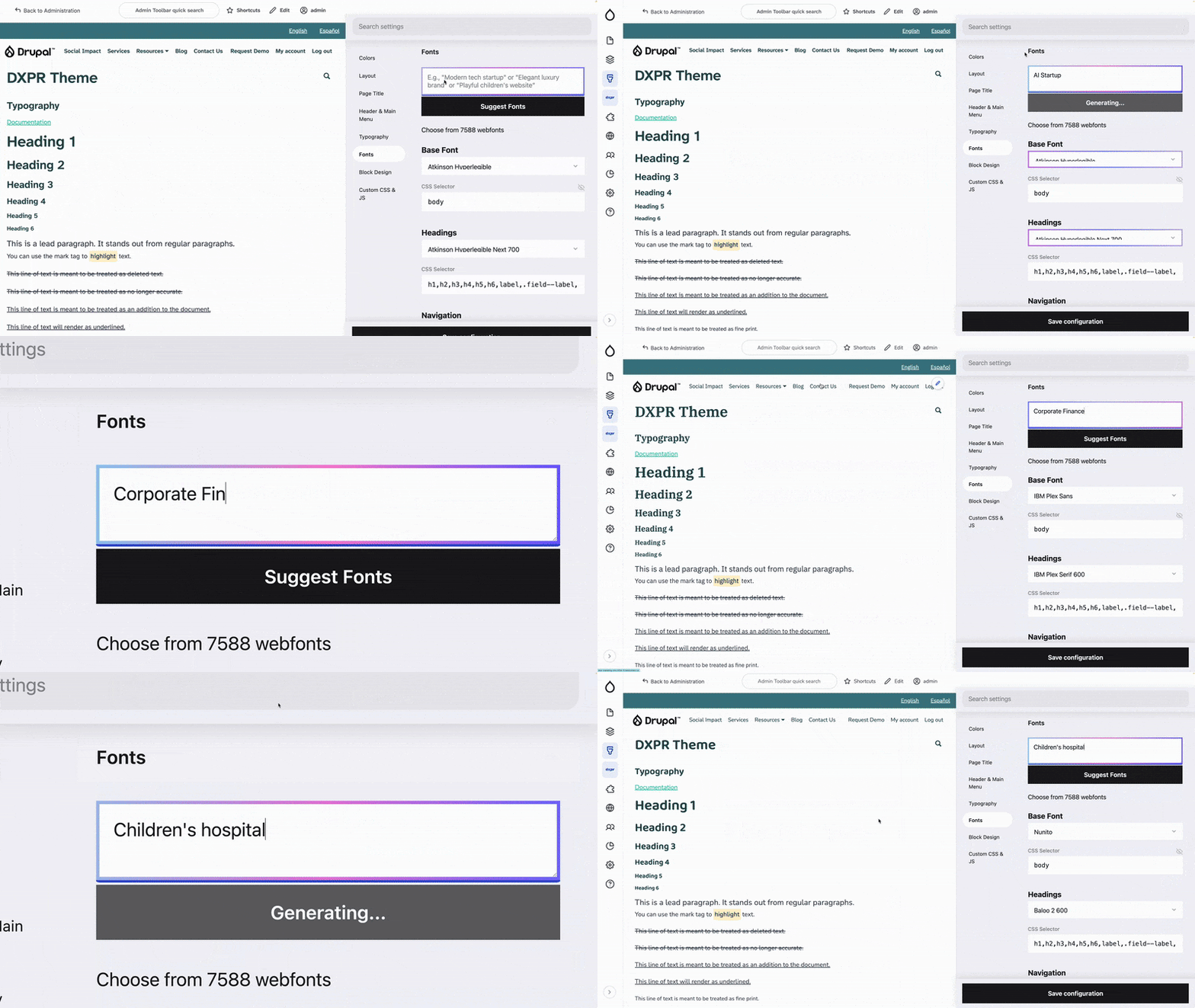
AI-Powered Font Selection Generator
Typography pairing is an art that even experienced designers find challenging. Our AI font selection generator takes the guesswork out of the equation. Describe the feeling you want to evoke, like "elegant and modern for a luxury brand" or "friendly and readable for an educational platform," and receive expertly matched font pairings. The AI considers readability, visual hierarchy, and stylistic compatibility to suggest combinations that elevate your content.
11 Industry-Specific Color Scheme Presets
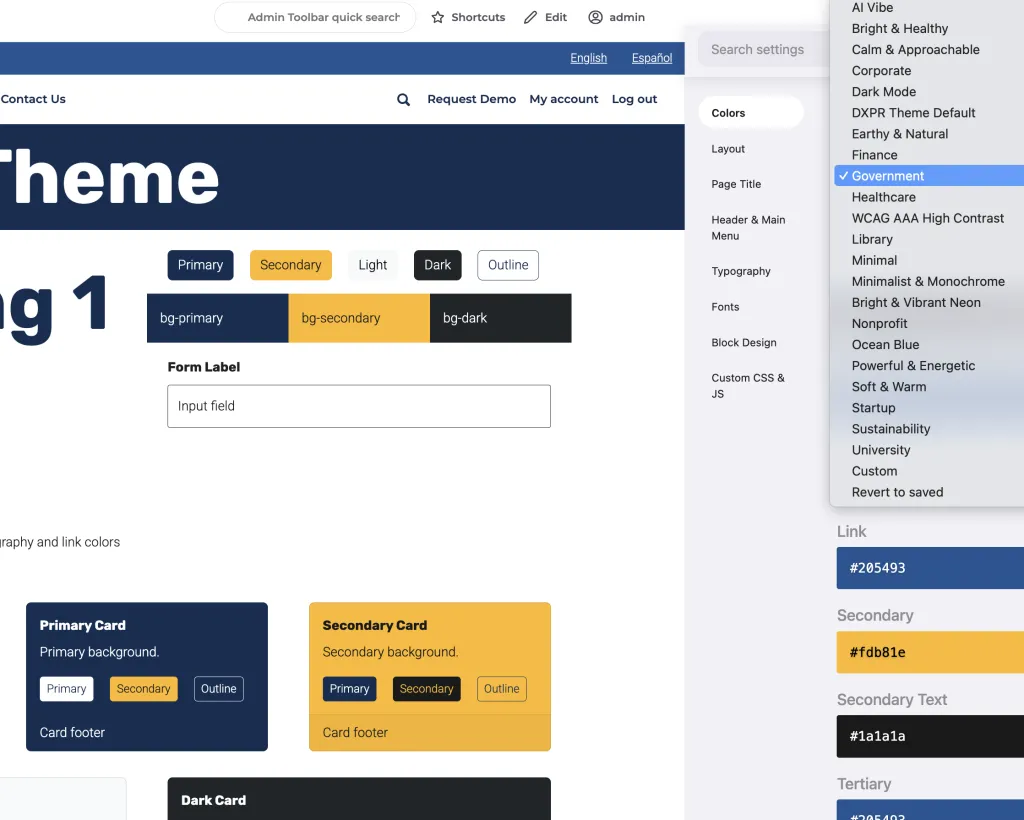
Not every project needs a custom palette. We've crafted eleven professionally designed color schemes, each optimized for specific industries: Healthcare, Finance, Technology, Education, Real Estate, Restaurant, Legal, Non-profit, Retail, and Creative. Each preset reflects the visual expectations and psychological associations of its sector. The collection also includes a WCAG AAA High Contrast scheme for maximum accessibility, perfect for government services and healthcare applications where inclusive design is paramount.
New Menu System and AAA WCAG Accessibility
Even ambitious software projects that care about accessibility aim for AA level, not AAA. AAA requirements typically appear only in healthcare and critical government services. While full AAA compliance isn't our goal, we aim for triple-A by default, falling back to double-A where appropriate.
You'll notice this from DXPR Theme 8's bigger buttons and clearer hover and focus styles. both in the frontend and in the theme settings form!
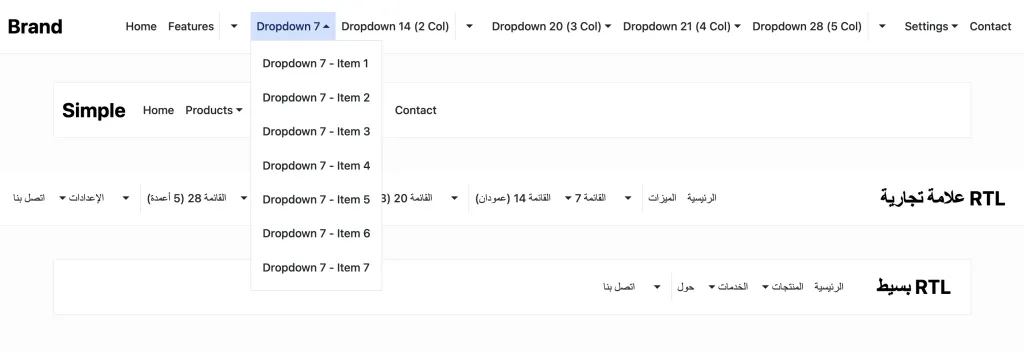
Our completely rebuilt menu system addresses longstanding navigation challenges that frustrated users and developers alike. Desktop dropdown menus respond to hover interactions with intelligent behavior: simple single-level menus open on hover as users expect, while complex multi-level menus require clicks to prevent accidental triggers. This design follows the latest consensus in UX and accessibility research.
Most importantly, screen reader users now experience menus exactly as sighted users do: collapsed items remain hidden from assistive technology until expanded, and proper ARIA attributes communicate menu state changes in real time. The result is a navigation system that feels intuitive for everyone, regardless of how they interact with your site. Of course it all works in right-to-left languages too!
Experience DXPR Theme 8 Today
Curious to see these features in action? Our interactive admin demo lets you explore the AI-powered color and font-pairing generators, enhanced theme settings, and AAA-accessible menu system: