
Put Drupal AI to work on your next page.
Turn a brief into a page your team can edit. DXPR Builder brings AI page creation, content refinement and translation into Drupal, with your people in charge of the result.
From a brief
to a page you can edit.
A product launch, an enrollment campaign, a new service. Give AI the audience, message and page structure you have in mind. Then shape the result visually.
Brief the AI
Describe who the page is for, what it needs to communicate and what visitors should do next.
Make it yours
Rewrite a headline, rearrange sections and choose the right imagery. AI output becomes editable DXPR Builder content.
Review and publish
Check the facts, brand details and finished experience. Take the page through the publishing workflow on your Drupal site.
Your first draft
is only the beginning.
Keep the work moving as the brief changes, more authors join in and the next market needs its own version.
Ask for a clearer headline, a shorter introduction or a different emphasis. Work with AI in context, then make precise changes directly in the visual editor.
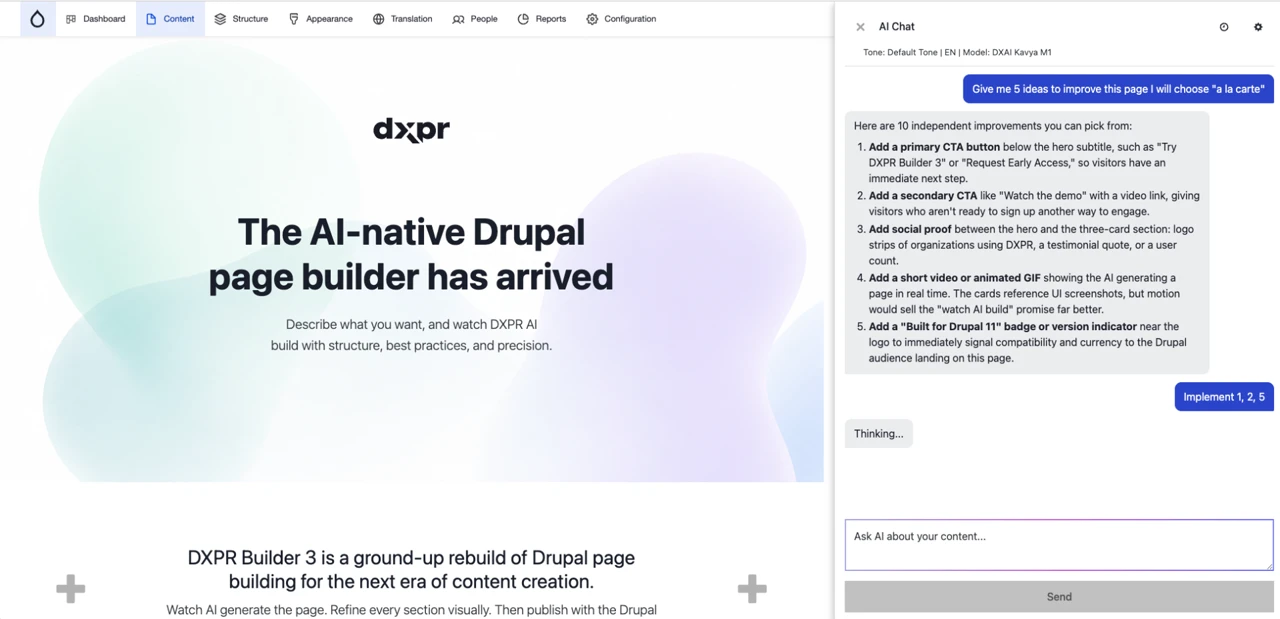
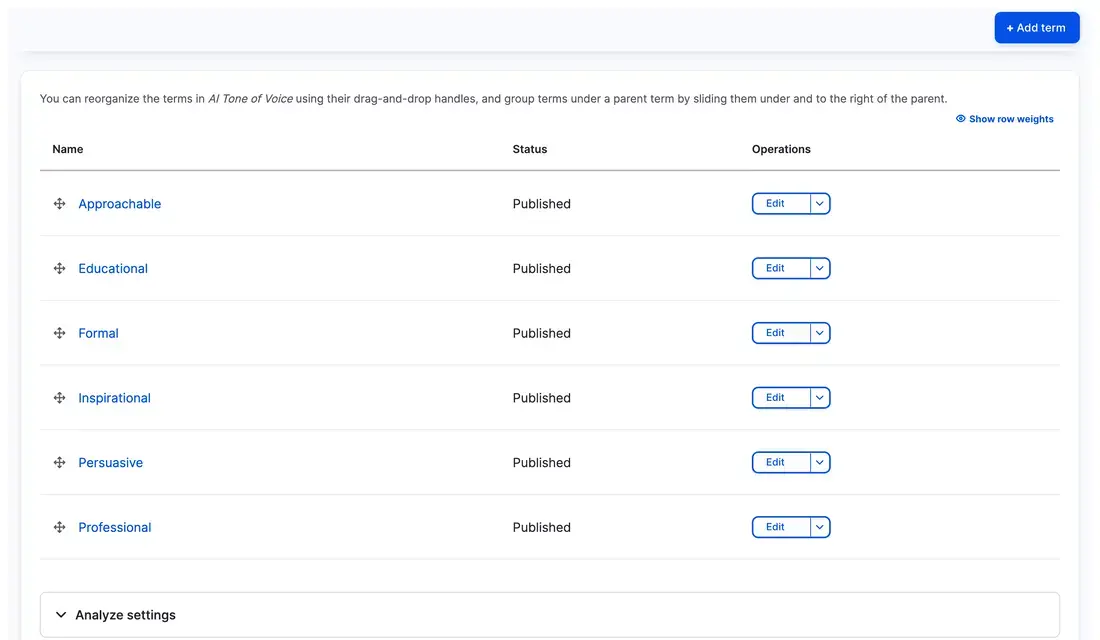
Manage shared tone-of-voice presets in Drupal. Help campaign, department and regional authors give AI consistent direction, without starting each prompt from scratch.
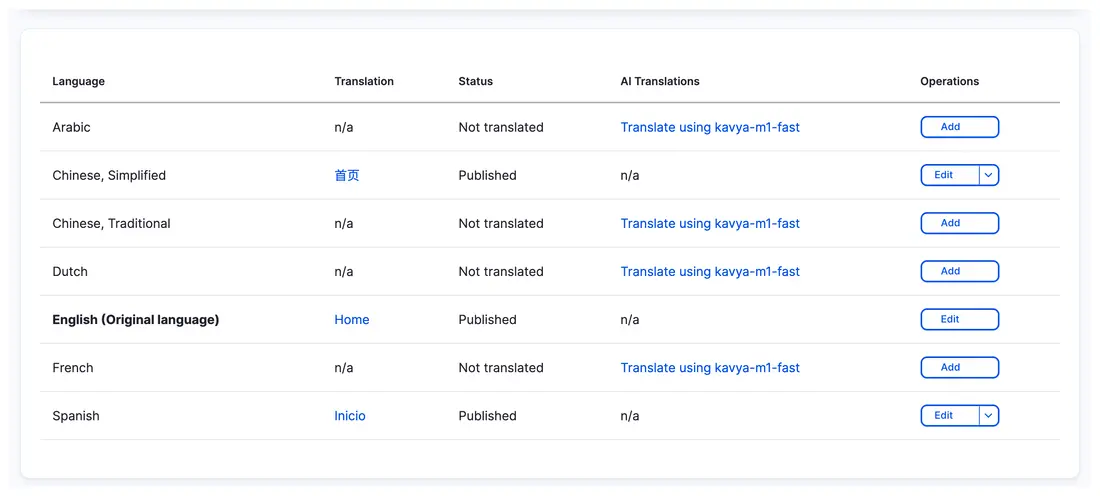
Use AI to translate page text, then have a local editor check meaning and terminology. Drupal keeps your language editions connected; DXPR lets each edition have its own layout.
AI joins your workflow.
Your team keeps the decisions.
The people who know your audience, brand and subject matter still make the call.
DXPR Builder works in your existing Layout Builder layouts and Drupal content model. Authors can build and revise visually while your configured permissions, moderation and language workflows govern the work.
That means a campaign team, a university department or a regional product marketer can use AI without taking page creation into a separate publishing platform.
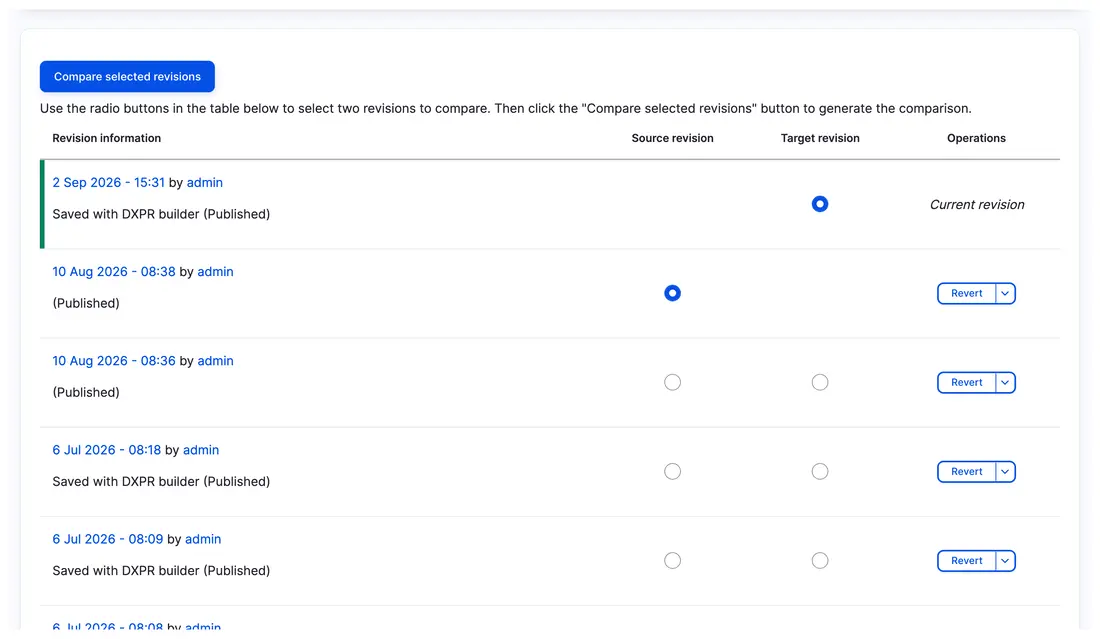
DXPR Builder content stays in Drupal, with revision history available to the team responsible for the page.
A clear view of
your AI connections.
Your platform team needs to understand where a request goes. DXPR connects the editing experience to configured AI services through Drupal.
The editor provides context
The brief and content context included in the request give AI the information it needs to create or revise the page.
Drupal connects to the AI service
The DXPR integration sends the request to its AI service. Model and service-provider settings determine the processing path.
The team reviews the result
The response returns to the editor. Your team checks the content, makes changes and publishes through Drupal.
Control the authoring setup
Administrators configure AI features, model availability and provider settings. Shared tone presets help authors work consistently. HTML and external-URL filtering settings govern AI-generated output.
Make the data path part of the decision
AI processing involves outgoing requests. The chosen service configuration matters for data location, retention and provider access. Bring those requirements to the conversation so your team can review the intended setup.

10× faster page processing.Engineered in Rust.
DXPR’s Rust-powered optimizer processes page HTML 10× faster while reducing AI token usage by 10–15%. It removes unnecessary markup before content reaches the AI model, so each request carries less overhead.
For legal, defense and medical infrastructure teams
Need a private model?
Bring your approved AI.
Connect your approved private model through a compatible agent with DXPR Agent Skills. Switch off DXPR Builder’s built-in AI features and let the agent create pages that your team can review and refine in DXPR Builder.
Before your
first prompt.
Your next campaign
is a good place to start.
Bring a brief. See what your team can create with AI and visual editing inside Drupal.