Kavya AI.
Your voice, in every language.
Write, translate and research content inside Drupal. Kavya combines multiple AI providers with tools built for multilingual websites and long-form publishing.
Translate the page,
including the small print.
The DXPR AI Provider has a native translation operation. It examines the content before building the request, adding instructions for the HTML and text attributes it finds.
Keep the page structure
For HTML input, the translation prompt explicitly preserves tags, classes and layout markup while translating the text. Plain text gets a simpler request without unnecessary HTML instructions.
Include the interface text
Image alt text, form placeholders, button labels and accessible names need translation too. The module detects these alongside headings and body copy.
Account for reading direction
Arabic, Hebrew, Persian, Urdu and other supported right-to-left targets receive explicit direction handling instructions, including adjustments to HTML dir attributes.
<a class="event-link" href="/register"
   aria-label="Register for the Drupal workshop">
  Save your seat
</a>
<a class="event-link" href="/register"
   aria-label="Meld je aan voor de Drupal-workshop">
  Reserveer je plek
</a>
Illustrative English → Dutch example: the link and CSS class stay in place; the visible text and accessible label change. Review generated translations in the finished page.
Write the whole guide.
Long-form work needs a plan. Kavya’s writing pipeline develops a content strategy and outline, then writes the sections with the surrounding content in view.
01 / Research
Bring in current context
When research is enabled and the request calls for it, Kavya can use Perplexity web search to gather material. The research step can formulate several queries around the subject before writing begins.
02 / Plan
Give the article a structure
A content strategy sets the direction. An outline divides the subject into sections with target word counts, so a detailed guide has more structure than a single long prompt.
03 / Write
Keep the sections connected
Each section receives the outline and preceding content, with instructions to maintain continuity and avoid repetition. HTML tag and class constraints guide the format for the receiving application.
Use it for a technical explainer, a university program guide or a detailed service page. Review the sources and factual claims before publishing. See how it fits a multilingual Drupal workflow.
Your editorial choices,
built into the workflow.
Choose a voice for the audience, then work on the draft where it will be published. Select a control to see the matching screen.
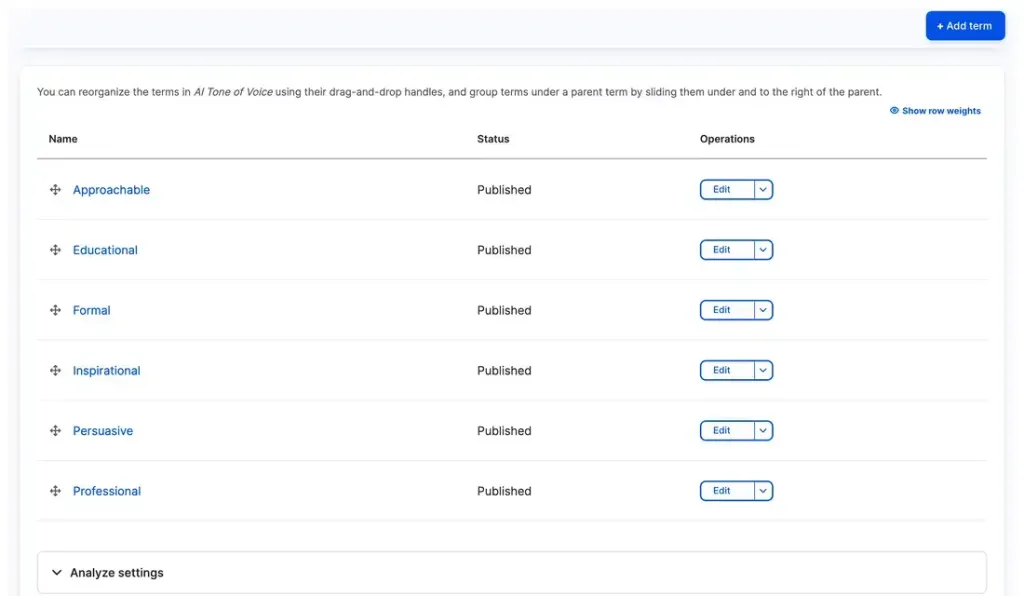
Define voices once as taxonomy terms, from Approachable to Professional, and share them across AI features with a selectable default.
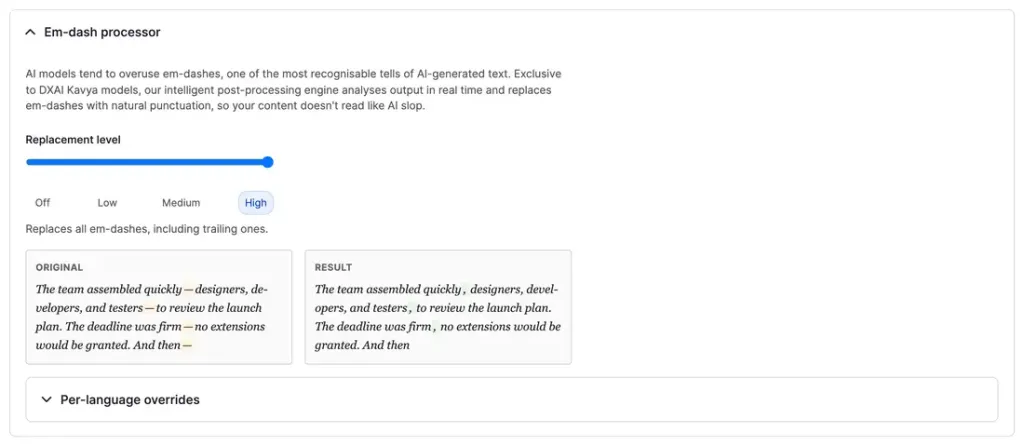
Grade AI punctuation with Off, Low, Medium and High post-processing, previewed live with per-language overrides.
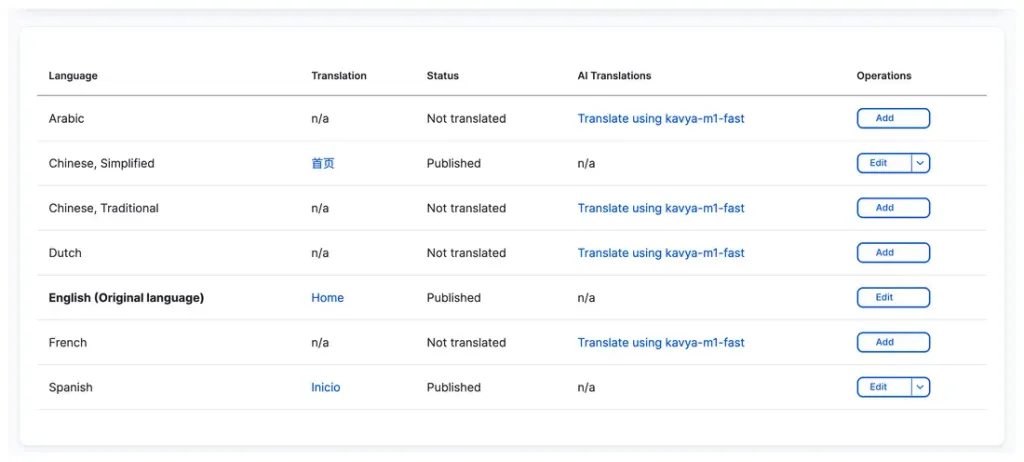
Translations maintain tone and adapt cultural references, then publish as connected editions of the same content.
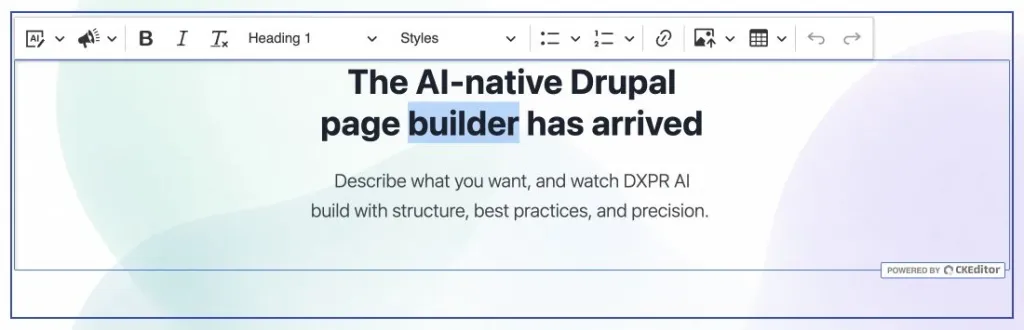
Draft with AI conversation, refine with visual editing, and publish through the same Drupal workflow reviewers already trust.
Your local editors know what sounds right.
The right product term. A date written the local way. An invitation that sounds natural. Your editors bring the context a translation draft still needs.
Use Kavya to prepare the text, then have the people who know the audience review the wording and the finished page before publishing.

One Drupal provider.
Three ways to run it.
Choose your default model in Drupal. For the standard Kavya model, you can also select providers and change their fallback order.
kavya-m1
Provider choice and fallback
Access OpenAI, Anthropic Claude, Google Gemini, xAI and Mistral through Kavya. Use automatic routing or configure your own priority order. If a provider fails, the service can try the next available provider in the chain.
kavya-m1-eu
An EU model option
Choose the Mistral-based option for European processing. Assess optional services such as web research separately when defining your site’s data requirements.
kavya-m1-fast
Prioritize response speed
Use the faster model variant when a short response or quick iteration matters more than the highest-quality output. Choose the default that fits your team’s everyday tasks.
More than a
writing assistant.
The open-source ai_provider_dxpr module connects Kavya to Drupal’s AI API. Developers can use its operations in their own features, too.
Understand images alongside text
Send image inputs with a chat request. Ask for a description, discuss what appears in a supplied image or use it as context for an editorial task.
Generate and edit images
The module implements text-to-image and image-to-image operations, returning WebP assets. Generate from a prompt or supply an existing image for a requested change. API credentials stay on the server.
Request structured responses
Pass a JSON schema when your integration needs predictable fields instead of prose. Chat requests also support tool definitions for applications that use function calling.
Stream responses and inspect usage
Streaming support lets compatible interfaces show text as it arrives. The provider settings expose word and credit balances, while translation calls pass through Drupal AI events so modules such as AI Logging can capture them.
Add Kavya to
your Drupal site.
Use the live demo to try the editorial experience, or install the provider on your own site.
composer require drupal/ai_provider_dxpr
drush en ai_provider_dxpr
- Get a DXPR API key and store it using Drupal’s Key module.
- Open
/admin/config/ai/providers/dxprand select the key. - Choose a default model and configure provider selection for your site.
- Use DXPR with compatible Drupal AI features, including DXPR Builder and CKEditor AI integrations.
A few useful details.
Translate your content.
Keep your brand’s voice.
A translated page should read as though it was written for that audience.
Kavya’s Drupal translation operation asks for the original tone to carry through, with idioms and cultural references adapted to the target language. When you leave the source language unspecified, it can detect it from the content.
That attention extends beyond paragraphs: the module recognizes the labels, image descriptions and reading direction that make a multilingual website usable.