
Your Drupal investment has an AI future.
Modernize how your team creates pages. DXPR Builder adds visual editing and AI on top of your existing Layout Builder layouts, with the Drupal workflows, permissions and translations you already rely on.
Keep the platform.
Move past the bottleneck.
The pressure to innovate is real. A slow editing experience can make replacing Drupal feel inevitable. Your next step can be much smaller.
Give authors a better way to work inside the platform you’ve invested in. Build campaign pages visually, use AI for the first draft and reuse the content and components your team already maintains.
DXPR Builder works inside content fields placed in Layout Builder. Your site builders keep control of the overall layout. Editors gain a visual workspace within it.
Your existing Drupal platform
Page structure, regions and existing blocks
Visual editing + AI
Inside your page’s content field
- Permissions
- Moderation
- Translations
- Revisions
How the pieces fit: Layout Builder owns the page structure; DXPR Builder edits the content within it. Both work with Drupal.
A better editing experience.
The same Drupal foundation.
Your access model, approval process and language strategy belong in the new experience. DXPR works through Drupal’s native systems to keep them there.
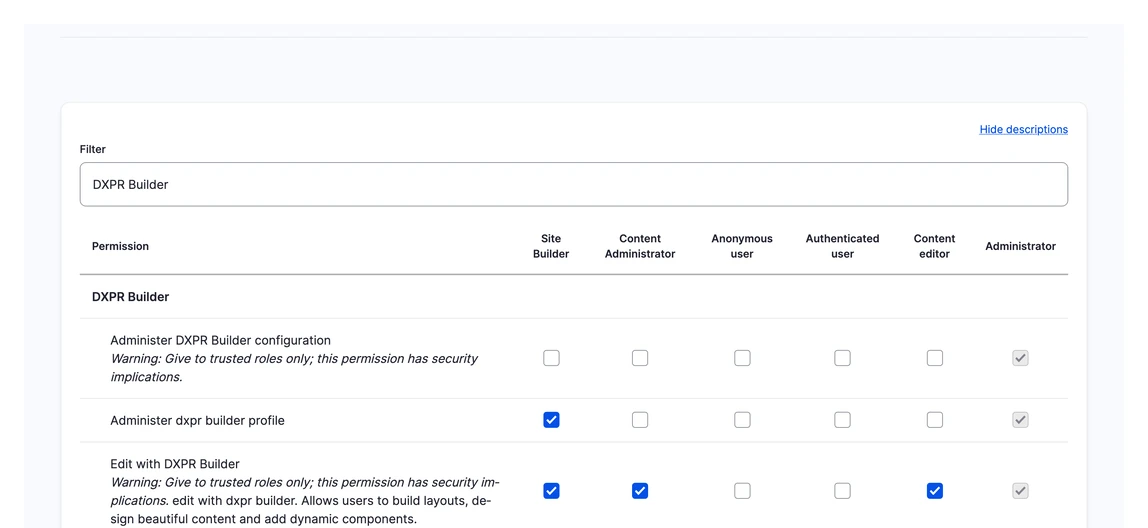
Give marketers visual editing through Drupal permissions. Your existing roles and content access remain the foundation for who can edit which pages.
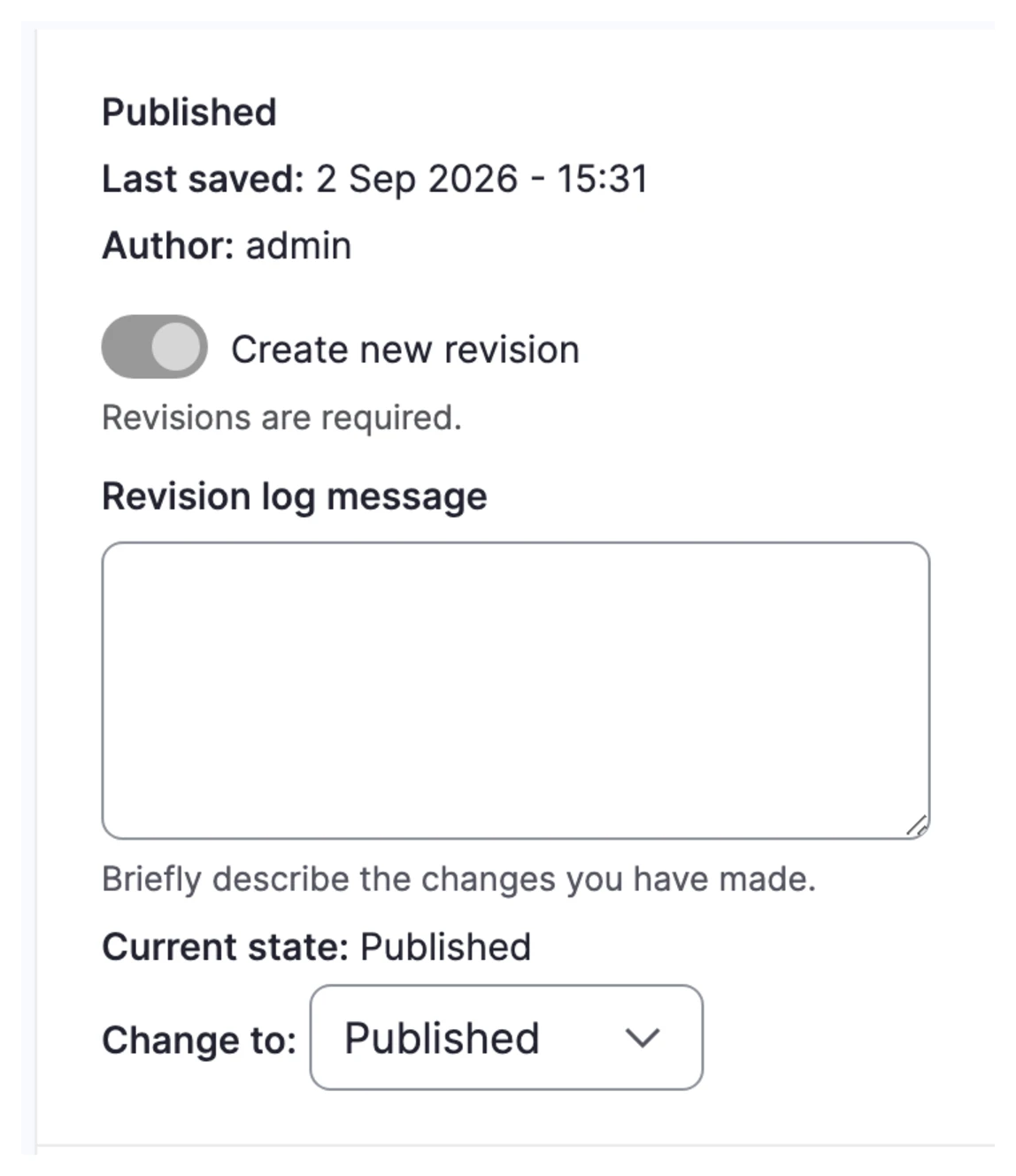
Create pages visually and keep publication in your Drupal workflow, including Content Moderation and Workbench Moderation. Authors build; reviewers and publishers keep their responsibilities.
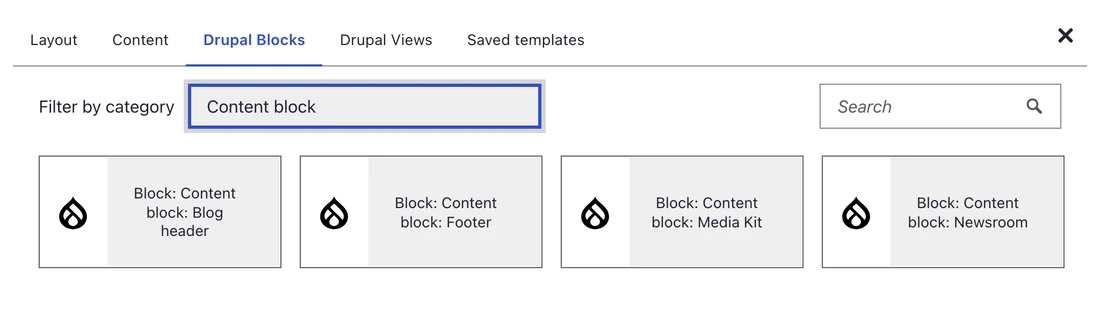
Bring existing Drupal blocks and Views into your pages. Your development team's work becomes part of the editing experience, alongside reusable DXPR Builder sections and templates.
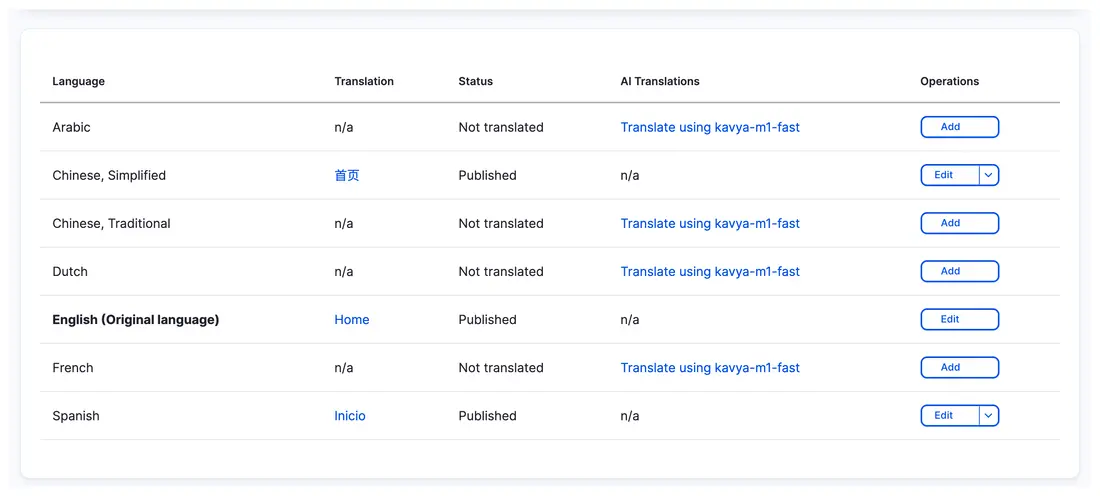
Edit each language version within Drupal's translation system. Regional teams can adapt content and layouts, including right-to-left pages, on the same platform.

Make progress together.
A modernization decision should work for the people publishing today and the people responsible for the platform tomorrow.
Marketing gets room to create
Turn briefs into pages, refine the message and prepare the next launch without sending every layout change to development.
Platform teams keep their foundation
Extend the existing Drupal application. Keep responsibility for access, approved components and publishing workflows where it belongs.
Agencies and regional teams build on shared work
Hand over reusable templates. Let departments, clients and local editors adapt pages within the platform, instead of creating another disconnected microsite.
Built for the Drupal work
that’s already happening.
Global products. Public information. Local audiences. See how organizations use DXPR to publish within Drupal.
Arteche
Five language editions carry this energy company’s products and story to international audiences. Its marketing team builds pages visually on one Drupal platform.
FONPLATA
A development bank serving five member countries publishes news, investor information and country operations in Spanish and English with DXPR Builder.
The Palestinian Museum
Arabic and English bring exhibitions, education and cultural stories to different audiences. DXPR Builder supports the museum’s visual page publishing in Drupal.

10× faster page processing.Engineered in Rust.
DXPR’s Rust-powered optimizer processes page HTML 10× faster while reducing AI token usage by 10–15%. It removes unnecessary markup before content reaches the AI model, so each request carries less overhead.
Start with one real campaign.
Make the decision with your own content, editors and workflow. Expand from a useful first result.
Bring your Drupal setup
Choose a campaign page and the people who create, review and publish it. Identify the Layout Builder layout, content field and reusable blocks it needs.
Build through the full workflow
Add DXPR Builder to that content field. Create the page visually, try AI with an approved brief, and take the draft through permissions, review and translation.
Give the next team a head start
Save useful sections as templates. Extend the approach to more campaigns, departments or sites, with your platform team guiding the rollout.
Want to see what the AI part looks like? Explore Drupal AI, from the brief to an editable page.
Already work with an AI agent? Use DXPR Agent Skills to create pages your team can keep editing.
Your platform.
Your questions.
No. DXPR Builder works as a formatter on a text field in your existing Layout Builder layout. Layout Builder continues to control the overall page structure; DXPR adds visual and AI-assisted editing within the field. Existing Layout Builder blocks do not need to become DXPR Builder elements.
Your existing theme and Layout Builder structure remain in place. Use Drupal blocks and Views in DXPR Builder content, and save reusable DXPR Builder sections and templates for authors. Your developers can decide how custom components are exposed to editors.
Yes. DXPR Builder content remains Drupal content and works with the site’s permissions, revisions, translations and moderation workflow, including Workbench Moderation. Configure editing permissions for the relevant roles and include custom access rules in your rollout checks.
This approach improves authoring on a supported Drupal installation. It does not replace an upgrade or migration needed for an older Drupal version. If that is your starting point, we can help you plan both through our Drupal migration services.
Yes. Each language edition has its own DXPR Builder content. Teams can adapt text, imagery and page structure while using Drupal’s translation system and configured publishing process. Explore multilingual and RTL page building.
Make your next Drupal investment move you forward.
Bring your layout, your publishing workflow and your next campaign. Let’s put them to work with DXPR.